Can Two People Take Turns Lip-Syncing Your Own Song?
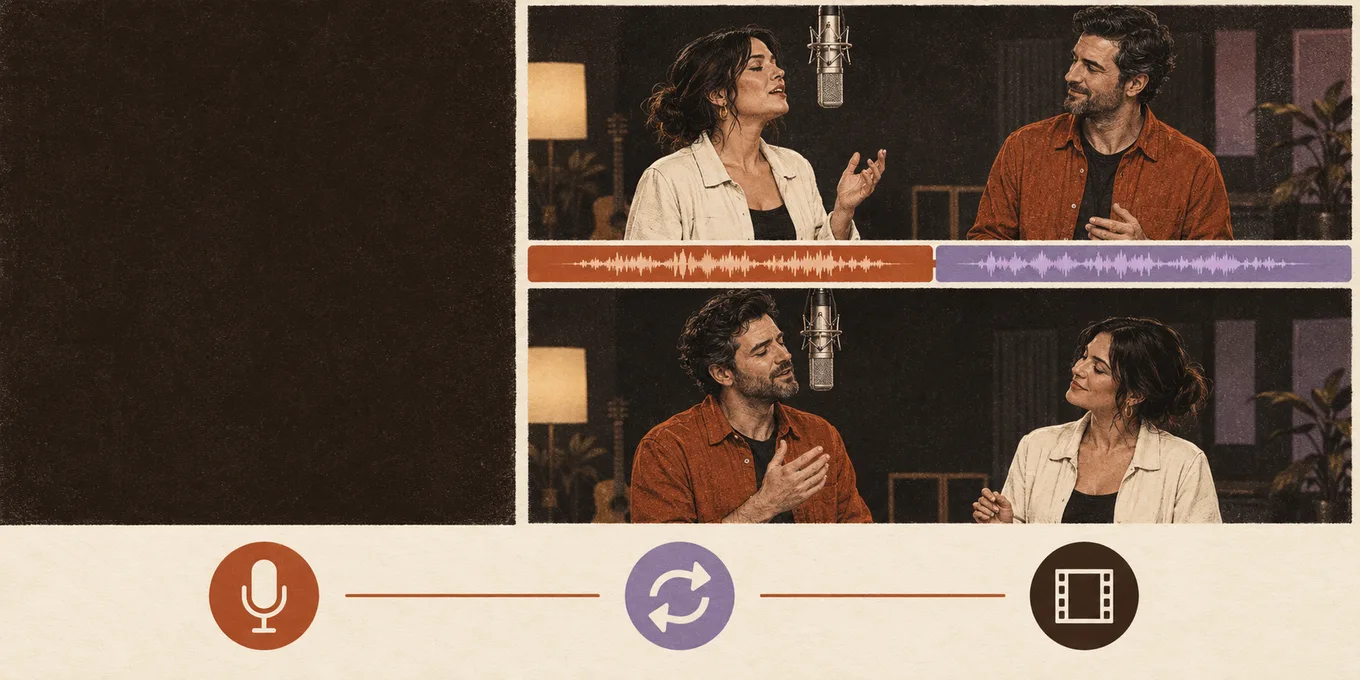
Short answer: not in one video. When you upload your own song, the person on the left lip-syncs to it and the person on the right hypes, as in the original clip. To hear both of you, make two videos: the first part of the song with one of you on the left, then the next part with the two of you swapped, and join them in any video editor. Each video is paid on its own; a 12-second video at 480p is 6 credits.
This is how Hotel Lobby Video works on October 4, 2026, on its default model, Wan 3.0. Both rap, where two people trade lines in one video, exists only for an AI-written rap, not for your own song.
Updated
YOUR OWN SONG · TWO SINGERS
2
One song, two singers
- Part 1: left sings
- Swap the photos
- Part 2, then join
Who sings in one video
| Sound you choose | Left person | Right person | Model |
|---|---|---|---|
| Your song (a track or a voice note) | Lip-syncs to the part you pick | Hypes: nods, points, dances | Wan 3.0 |
| The Hotel Lobby track | Raps the original verse | Hypes | Wan 3.0 |
| AI rap | Raps a verse the AI writes | Hypes | Seedance |
| AI rap with Both rap | Raps | Raps back: the two trade lines | Seedance |
One photo of both of you works the same way: the person on the left of the photo is the one who sings.
Your song, your part
Start with the first part
Your song is already selected: add the two photos, upload the track and drag the orange frame to the first part. The button shows the credits.
Your two performers
One person each. Left raps, right hypes.
Stage
Video & sound
This video: 6 credits. Ready in about 5 to 15 minutes; failed generations return your credits. View pricing
How to give each of you a part
- Pick two parts of the song, one for each of you. Each part is as long as the video: 5, 8, 10, 12 or 15 seconds in the Hotel Lobby booth.
- Add one photo of each person, and put whoever sings first on the left.
- Open Video & sound, choose Your song and upload the track (MP3, WAV or M4A, any length). Drag the orange frame to the first part, then create.
- When the first video is ready, drag the orange frame to the second part. Then tap “Hand the mic to the other one” under the video: the two photos trade places and the second video starts with the new part. You can also swap the photos yourself and press Create.
- Download both MP4s and put them one after the other in CapCut, iMovie or any editor.
Two videos cost twice one: 12 credits for two 12-second videos at 480p. Credits are paid when you create each video, and a failed render is refunded.
Same part, two singers
If you both want the same line, leave the orange frame where it is and tap “Hand the mic to the other one” after the first video. You get two versions of the same part, one with each of you in front, to post side by side or one after the other.
What to expect
- The routine starts again at the beginning of each video, so the cut between your two parts shows. A cut on a beat hides it best.
- Pick parts where the voice is clear; the person in front lip-syncs to it.
- Faces, moves and lip-sync vary from one render to the next, so your two videos will not match exactly.
- We have not published a test of this two-video method yet. It only uses features the generator already has.
When the AI rap fits better
If the words matter more than your recording, switch to a Seedance model and turn on Both rap: the AI writes a verse about your topic and the two of you trade lines in one video. A 12-second AI rap on Seedance 2.0 Mini at 720p costs 10 credits on any stage. See the AI rap battle generator.
FAQ
Can both people lip-sync my own song in one video?
No. With your own song, only the person on the left lip-syncs; the person on the right hypes. Make two videos and swap the photos to give each of you a part.
Can the person on the right sing instead?
Yes. Put that person on the left, or tap “Hand the mic to the other one” after a video: the photos trade places and a new video starts.
How long can each part be?
As long as the video: 5, 8, 10, 12 or 15 seconds in the Hotel Lobby booth. The song itself can be any length; you pick the part by dragging the orange frame.
Can I use a voice note instead of a song?
Yes. Upload the recording as Your song (MP3, WAV or M4A); the person on the left lip-syncs to the part you pick.
What does it cost?
Each video is paid on its own. A 12-second video at 480p is 6 credits, so two parts cost 12. The smallest pack is 10 credits for $9.99.
Read next
How to Make an AI Rap Video: Step by Step (2026)
Every step of making a rap video from photos, what each option does and costs, and common fixes
Hotel Lobby AI Prompts: Our Exact Prompt and 5 to Copy
The exact Hotel Lobby AI prompts our generator sends (Wan 3.0 with the Hotel Lobby track, and Seedance with an AI rap), what each line does, and five photo-only prompts to copy for couples, friends, family, characters and pets
How to Do the Hotel Lobby Trend: 3 Ways, Step by Step (2026)
Three ways to do the Hotel Lobby AI trend (two-photo generator, AI video prompt, editor template), with steps, costs, free options and tips
Hotel Lobby Video is an independent tool, not affiliated with Quavo, Takeoff, Migos, Quality Control Music, Motown or COLORS.