How to Make the Outstanding Tiny Desk AI Video, Step by Step
The Outstanding Tiny Desk AI video is the TikTok trend that puts new faces into a small office concert: a singer at a red keyboard, a close-up of someone laughing, a sax solo, and singers behind, all on the line "Outstanding". It started on 18 October 2026 with one post and turned into a family, team and friends trend within days.
This guide shows how to make the Outstanding Tiny Desk AI video three ways and what to prepare for each. The shortest route is the Tiny Desk AI effect on this site: one to five people, a photo each or one group photo, 15 seconds with the song.
Updated
TINY DESK AI · HOW TO
Your band, Outstanding
- Three ways
- Who plays what
- Tips
Three ways to make the Tiny Desk AI video
| Way | What you need | People | Sound |
|---|---|---|---|
| The Tiny Desk AI effect (this site) | One photo per person, or one group photo | One to five, each in a part | "Outstanding" in the MP4 |
| A CapCut or Kling template | The app, a template link and a photo | Usually one face swapped in | Comes with the template, or added in the app |
| A prompt in a video app | A text description and photos | As many as the model manages | Added afterwards |
Templates in CapCut and Kling AI are shared by creators and can disappear or change region to region; check that a link still works before you buy credits for it.
Way 1
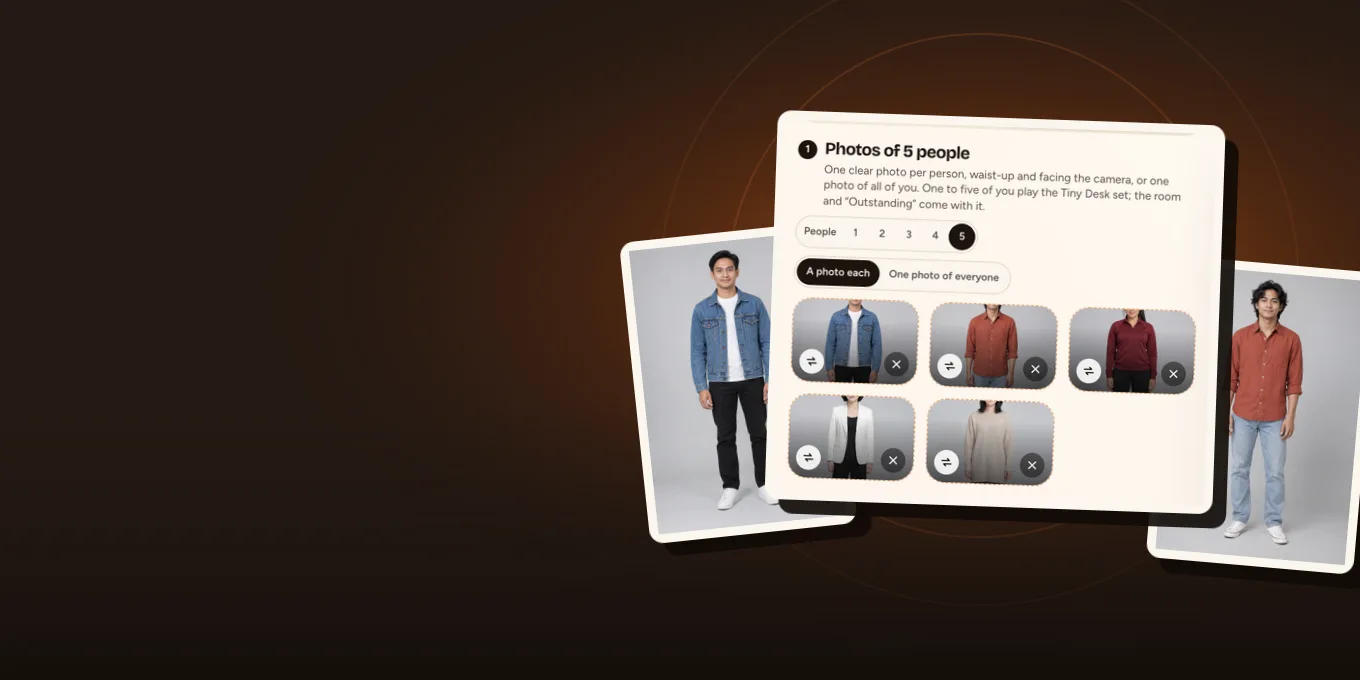
Start your Tiny Desk AI band
Tiny Desk is selected. Pick the band size, add the photos; the button shows the credits before you create.
Your photo
One clear photo per person, waist-up and facing the camera, or one photo of all of you. One to five of you play the Tiny Desk set; the room and “Outstanding” come with it.
Tiny Desk takes up to 5 people, one photo each: pick how many above.
Effect
Video
This video: 7 credits. Ready in about 5 to 15 minutes; failed generations return your credits. View pricing
Way 1: the Outstanding Tiny Desk AI video from your photos
- Choose the band size. Open the Tiny Desk AI page or the generator below and tap 1 to 5 next to the photo step.
- Add the photos. One waist-up photo per person, facing the camera, works best because the band is filmed close. Or switch to one group photo where everyone stands side by side with their face visible.
- Check the price on the button: 7 credits at 480p, 12 at 720p, 24 at 1080p, the same for one person or five. This one has no free preview: the free 2-second preview is only for the default Hotel Lobby video and the Bulin 47 effect.
- Create and wait about 5 to 15 minutes. The MP4 is 15 seconds, 9:16, with "Outstanding" on it, ready for TikTok or Reels.
Behind the button, each person is first drawn as a waist-up portrait, and the video model re-shoots the trend clip from its first "Outstanding" with those portraits and the photos for the faces. With a group photo, the people in it are counted first, so a photo of four makes a band of four even if five was picked.
Who plays which part in the Tiny Desk AI video
| Your band | What the video does |
|---|---|
| 1 person | You take every lead part: the keyboard singer, the laugh, the sax. |
| 2 to 4 people | Each person takes a lead part, and the people you added also fill the backing singers, so no stranger is left in the shot. |
| 5 people | Five parts, five people, in the order of the photos (or left to right in a group photo). |
Put the person you want at the red keyboard in photo 1. The person who should crack up laughing in close-up is a good photo 2: a photo where they are already smiling helps.
A family’s own Tiny Desk AI band: the singers, the laugh and the sax, all relatives.by @mdawnhou · Watch on TikTok
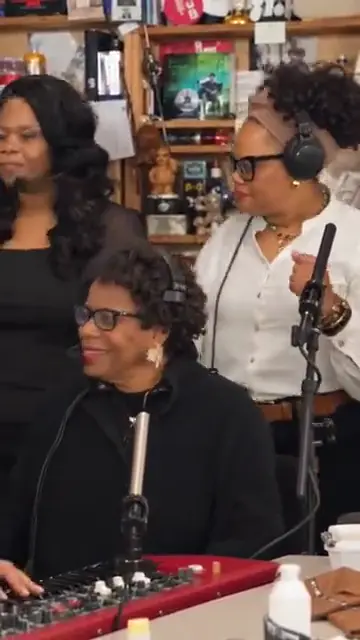
TikTok posts by other creators, shown with credit and linked to the original. Hover to play; sound starts off.
Way 2: a CapCut or Kling AI template
- Find a Tiny Desk or Outstanding template post on TikTok; creators link it in the caption.
- Open it in CapCut or Kling AI, sign in, and upload one photo when the template asks for it.
- Export, then add the "Outstanding" sound from TikTok’s library if the template did not keep it.
Templates are quick for one face. A whole family or team in their own parts is where they struggle, which is why the trend posts with five different people mostly come from tools that take several photos.
Way 3: a prompt
A video prompt can describe the scene (a band crammed in front of a bookshelf, a red keyboard, headphones, a sax solo), but it cannot reproduce the trend’s cuts and timing, and a model given five faces at once often mixes them up. Use it for a look-alike, not for the Outstanding moment itself.
Tiny Desk AI tips before you post
- Waist-up photos with clear faces beat full-length shots taken from far away.
- For a group photo, keep everyone in the frame; a person cut off at the edge may be left out of the count.
- Glasses only appear on people who wear them in their photo.
- Only use photos of people who agreed to be in it. No celebrities, coaches or athletes who did not.
- The song belongs to its rights holders; if an app mutes the post, add "Outstanding" from its sound library.
- Not rendered on this site yet: our results so far come from the same clip and instructions on another site in our group.
FAQ
What is the easiest way to make the Outstanding Tiny Desk AI video?
Photos into a ready template. On Hotel Lobby Video (hotellobbyvideo.net) the Tiny Desk AI effect takes one to five photos or a group photo and returns 15 seconds with the song, from 7 credits.
How do I make the Tiny Desk AI video for free?
Not here: it is paid with credits. This one has no free preview: the free 2-second preview is only for the default Hotel Lobby video and the Bulin 47 effect. Free routes are CapCut or Kling templates with their own limits and watermarks.
Can I use one group photo for the Tiny Desk AI trend?
Yes, for two to five people standing side by side with their faces visible. People are taken from left to right.
Do I need Kling AI for the Outstanding AI trend?
No. Kling and CapCut are one route. This site does it in the browser with up to five people and the song included.
How long is the Tiny Desk AI video?
15 seconds in 9:16, starting on the first "Outstanding". It takes about 5 to 15 minutes to make.
Sources
Read next
What Is the Outstanding Tiny Desk Meme? Where It Came From
The Outstanding Tiny Desk meme explained: Charlie Wilson’s 2023 NPR Tiny Desk set, the Gap Band song "Outstanding", why it is called Tiny Desk, and the AI trend of October 2026
How to Make Funny AI Videos of Your Friends (Ask First)
Making funny AI videos of friends from photos on Hotel Lobby Video: twelve ideas with what each needs and costs, the steps, photos that make the joke work, and getting a yes first
Hotel Lobby Video is an independent tool, not affiliated with Quavo, Takeoff, Migos, Quality Control Music, Motown or COLORS.