How to Make a Dog Rap Video With AI (Step by Step)
Short answer: to make a dog rap video, add a photo of your dog and one of its duo (you or another pet) on the pet rap video page, keep the Hotel Lobby stage and create. Wan 3.0 puts the two of them in the orange booth, your dog standing on its hind legs at the hanging mic, to the Hotel Lobby track. A 12-second video at 480p is 6 credits and is usually ready in about 5 to 15 minutes.
Below is each step, what happens to your dog’s photo before the render, which sound to pick and how to fix the usual problems. We have tested a dog next to a person; cats go through the same steps, but we have not tested them yet.
Updated
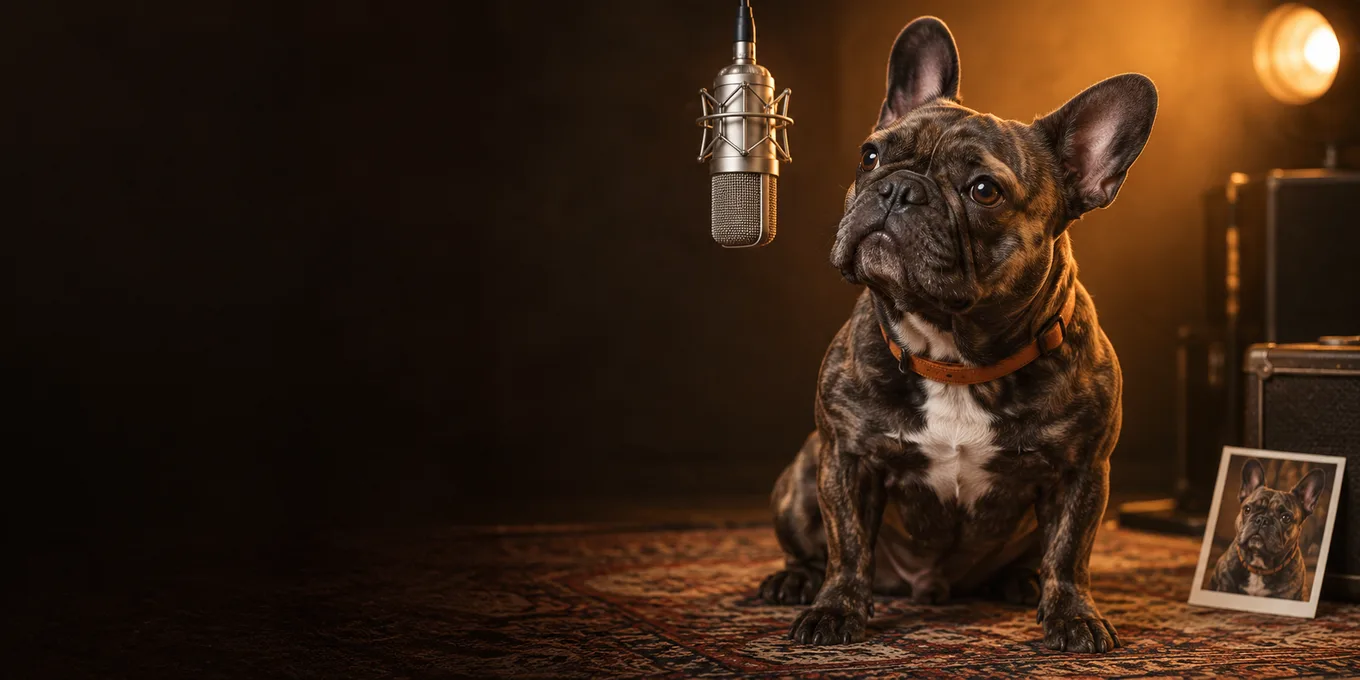
DOG RAP VIDEO · HOW TO
3
Your dog, on the mic
- Photo
- Stands up
- At the mic
What you need for a dog rap video
- A photo of your dog: one animal, face toward the camera, the whole body if you have it.
- A photo of its duo: you, a friend or another pet, one per photo.
- A phone or computer browser. There is nothing to install.
- Credits: 6 for a 12-second video at 480p. The smallest pack is 10 credits for $9.99.
Your dog’s turn
Make your dog rap video here
Set up for a pet and its duo: the photo on the left raps, the one on the right hypes. The button shows the credits before you create.
Your pet and its duo
One pet or person per photo. Left raps, right hypes.
Stage
Video & sound
This video: 6 credits. Ready in about 5 to 15 minutes; failed generations return your credits. View pricing
How to make a dog rap video, step by step
- Open the pet rap video page. Its generator is already set up for a pet and its duo.
- Add your dog’s photo on the left if the dog should rap, or on the right if it should hype.
- Add the duo’s photo in the other slot.
- Keep the Hotel Lobby stage and Wan 3.0. Pick the length (5, 8, 10, 12 or 15 seconds) and the format: 16:9 is the default, 9:16 fits TikTok and Reels.
- Pick the sound under Video & sound: the Hotel Lobby track, Your song, or an AI rap on a Seedance model.
- Tap create. Sign in with Google the first time; the button shows the credits before you pay.
- Wait, then download the MP4. It also stays in My videos.
What happens to your dog’s photo
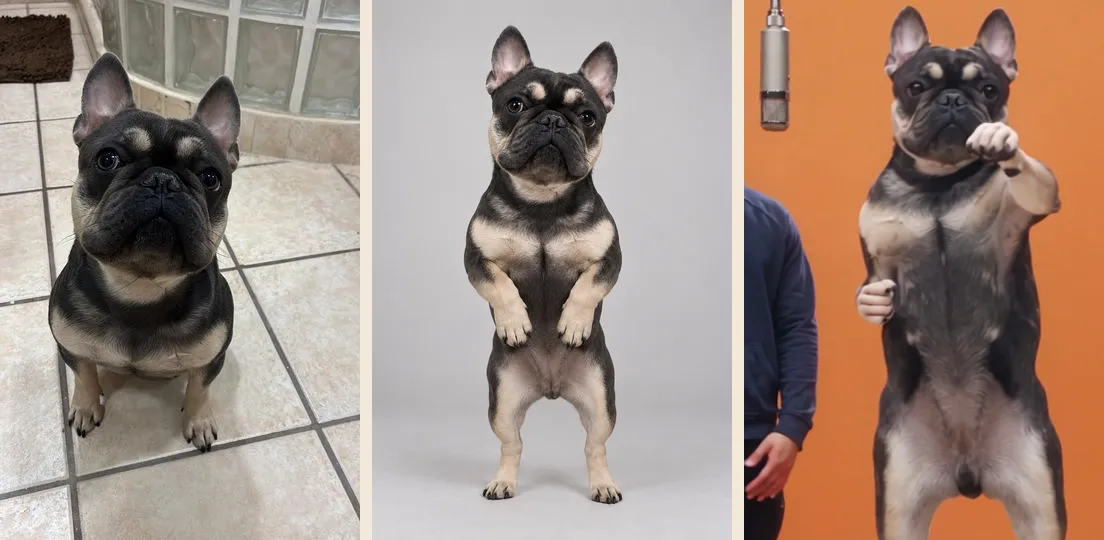
Before the render, each photo is redrawn as a full-length studio portrait of the same animal or person, standing upright on a plain background. That is why your dog stands on its hind legs in the booth. The video model then copies the booth routine with the two portraits. You only see your own photo; the portrait is used for the render and deleted with your photos after 7 days.
The pictures below are from one of our paid tests: an AI-made photo of a French bulldog, the standing portrait drawn from it, and a frame of the finished video.
Pick the sound
| Sound | What you hear | Model | Tested with a pet? |
|---|---|---|---|
| The Hotel Lobby track | The original verse; the lead moves its mouth to it | Wan 3.0 | Yes, with a dog |
| Your song or a recording | The part of your audio you pick; the lead lip-syncs to it | Wan 3.0 | Not yet |
| AI rap | An original rap about your topic, such as “Biscuit runs this house” | Seedance | Not yet |
A bark or a meow works as Your song: upload the recording (MP3, WAV or M4A) and drag the orange frame to the part you want, 2 to 15 seconds. We have not tried an animal recording ourselves.
Our test video
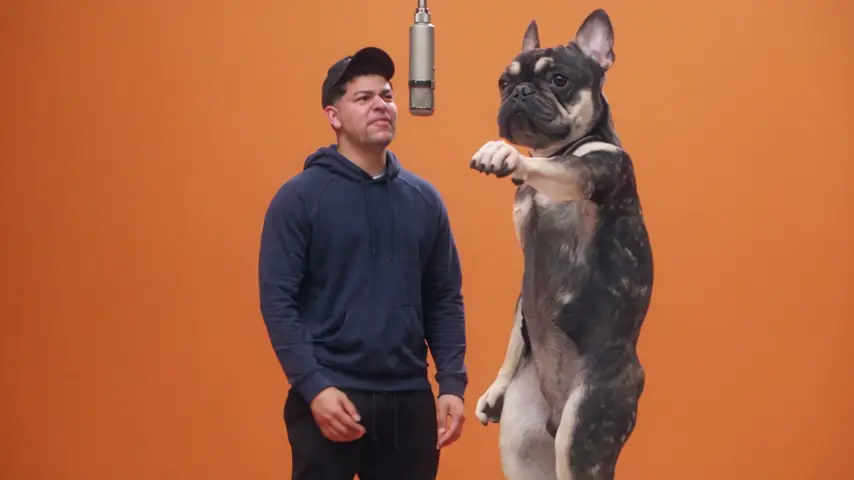
Wan 3.0 · 480p · 15 s · 16:9
- Product test render, made outside the website with our generation pipeline.
- Audio: Hotel Lobby template track.
- Web preview: 854 × 480, compressed for playback. The settings above describe the original render.
Wan 3.0, 480p, 15 seconds, the Hotel Lobby track: a man and a French bulldog, both from AI-made pictures. The bulldog stayed on its hind legs and followed the routine, turn included.
If your dog rap video looks off
| What you see | What to try |
|---|---|
| The face does not look like your dog | A sharp, front-facing photo in daylight. Profiles and dark photos lose the face. |
| Another animal or a person turns up | Crop the photo to one animal. |
| The dog is as tall as the person | Nothing: sizes are not kept to scale. It is part of the look. |
| The front paws look like hands when the dog points | The routine has hand gestures, and the model copies them. Try another render, or keep it as a joke. |
| The dog barely moves its mouth | Put the dog on the left, where the lead raps, and pick a part of the track with a clear voice. |
A render that fails is refunded automatically. A finished video you do not like is not, and each new try costs its own credits.
FAQ
Can I make a dog rap video for free?
No. Every video is paid with credits when you create it: 6 for a 12-second video at 480p. The smallest pack is 10 credits for $9.99, and a failed render is refunded.
Does it work with cats?
A cat goes through the same steps, and the portrait step asks for it to stand up too. We have not tested cats yet, so treat a first video as a try.
Can my dog rap with me?
Yes. Put yourself in one photo and your dog in the other. The left spot raps and the right spot hypes.
How long does it take?
Usually about 5 to 15 minutes on Wan 3.0. The video waits in My videos.
Read next
Viral Migos AI Videos: The Hotel Lobby Clips Everyone Shared
The viral Migos AI videos and memes of the Hotel Lobby trend, linked to the original posts on X and YouTube, with Quavo’s reply and what makes a clip work
How to Make an AI Rap Video: Step by Step (2026)
Every step of making a rap video from photos, what each option does and costs, and common fixes
Hotel Lobby Trend Ideas: 15 Duos and What They Rap
Fifteen Hotel Lobby trend ideas by pairing, each with the sound to pick (Hotel Lobby track, your own song or an AI rap) and a topic line
Hotel Lobby Video is an independent tool, not affiliated with Quavo, Takeoff, Migos, Quality Control Music, Motown or COLORS.