Hotel Lobby AI at 480p, 720p or 1080p: Which to Pick?
Short answer: pick 480p for chats and first tries, 720p if you post to Instagram Reels, and 1080p for a big screen. On Wan 3.0, a 12-second video is 6 credits at 480p, 10 at 720p and 20 at 1080p. Resolution changes how sharp the video is; we have seen nothing showing it makes faces more like the photos.
The sizes below are measured from our own test files. We have not yet published the same video side by side at all three settings.
Updated
HOTEL LOBBY AI · RESOLUTION
480p, 720p or 1080p?
- 480p
- 720p
- 1080p
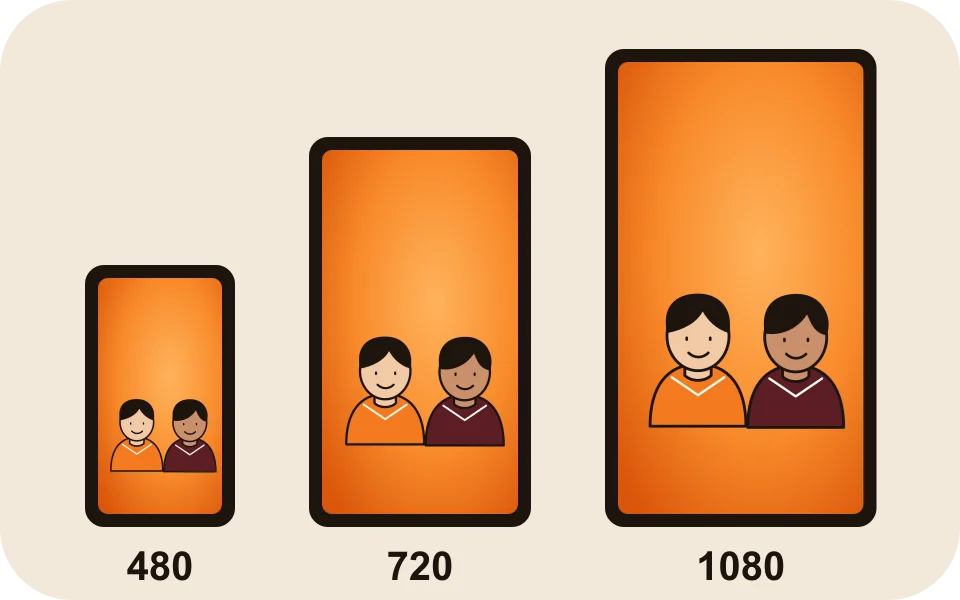
What you get at each setting
| Setting | Measured size, 9:16 | Frames per second | 12 s on Wan 3.0 |
|---|---|---|---|
| 480p | 480 × 854 on Wan 3.0; 496 × 864 on Seedance 2.0 Mini | 30 on Wan 3.0; 24 on Seedance | 6 credits |
| 720p | 720 × 1280 on Wan 3.0 (one test) | 30 | 10 credits |
| 1080p | Not measured yet | Not measured yet | 20 credits |
Higher settings take longer. The editor says about 5 to 15 minutes on Wan 3.0; our first 12-second 720p video took about 13 minutes, and a 10-second 480p test about 5.
Credits for every length
| Length | 480p | 720p | 1080p |
|---|---|---|---|
| 5 seconds | 3 credits | 4 credits | 8 credits |
| 8 seconds | 4 credits | 6 credits | 12 credits |
| 10 seconds | 5 credits | 8 credits | 16 credits |
| 12 seconds | 6 credits | 10 credits | 20 credits |
| 15 seconds | 7 credits | 12 credits | 24 credits |
These are Wan 3.0 prices; the stage and the sound do not change them. On Seedance, 2.0 Mini and 2.0 Fast go up to 720p, and 2.0 and 2.5 up to 1080p. Every price is on the pricing page.

What the apps you post to expect
| App | What its own page says | The setting that fits |
|---|---|---|
| Instagram Reels | At least 720 pixels and 30 frames per second (Instagram Help) | Wan 3.0 at 720p (720 × 1280, 30 fps) |
| TikTok | We found no resolution rule for regular posts; its upload guide for developers allows 360 to 4,096 pixels and 23 to 60 fps (TikTok for Developers) | Any setting |
| YouTube Shorts | Square or vertical, up to three minutes (YouTube Help) | Any setting |
| WhatsApp or Messages | No rule to meet | 480p is our pick for a phone screen |
Seedance renders came out at 24 frames per second in our tests, below the 30 that Instagram names for Reels.
What resolution does not change
- Likeness. If a face drifts at 480p, nothing we have seen says 1080p brings it back. Better photos are the first fix (which photos work best).
- The moves, the camera and the lip-sync.
- The price of a failed render: it is refunded at any setting.
How to choose the resolution
- First try, or a video for a group chat: 480p, 6 credits for 12 seconds.
- Posting to Instagram Reels: 720p, 10 credits for 12 seconds.
- A party screen or a TV: 1080p, 20 credits for 12 seconds.
- Not sure the photos work? Try 480p first, then make the keeper at a higher setting.
FAQ
Is 1080p worth paying for in a Hotel Lobby AI video?
Only for a big screen. On a phone, 720p already meets Instagram’s Reels minimum, at 10 credits instead of 20 for 12 seconds.
Is 720p enough for TikTok and Reels?
Yes. Instagram asks for at least 720 pixels and 30 fps, and our 720p test measured 720 × 1280 at 30 fps. TikTok publishes no stricter rule for regular posts that we could find.
Will 1080p make the face look more like my photo?
We have seen nothing showing that. Resolution sets sharpness; likeness depends mostly on the photo and varies from render to render.
Why is my 480p video 480 pixels wide?
That is what 480p means for a vertical video: our Wan 3.0 480p tests measured 480 × 854.
Does a higher resolution take longer?
Yes. Our first 12-second 720p video took about 13 minutes, and a 10-second 480p test about 5.
Sources
Read next
Hotel Lobby AI Video Results: Our Tests, Fixes and Limits
An honest test log: swapped faces, copied gloves, cropped performers and blocked songs, what we changed after each, and what still varies
How to Make a Hotel Lobby AI Video on Your Phone (No App)
The whole Hotel Lobby AI video in a phone browser, from camera-roll photos to saving the MP4 in Photos, with iPhone steps we tested
How to Do the Hotel Lobby Trend: 3 Ways, Step by Step (2026)
Three ways to do the Hotel Lobby AI trend (two-photo generator, AI video prompt, editor template), with steps, costs, free options and tips
Hotel Lobby Video is an independent tool, not affiliated with Quavo, Takeoff, Migos, Quality Control Music, Motown or COLORS.